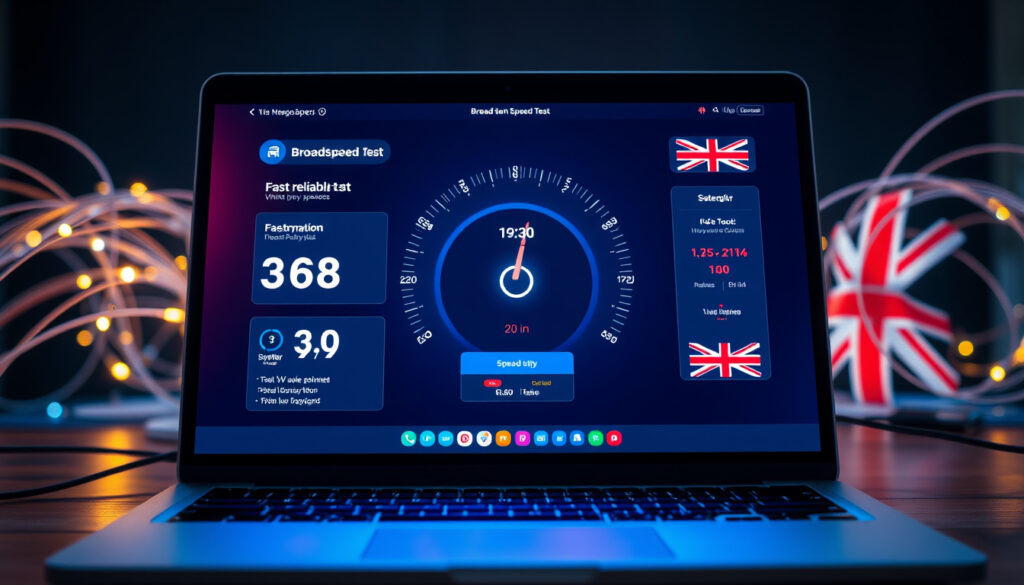
Check My Broadband Speed – Free UK Tools and Testing Guide
Checking your broadband speed helps you understand whether you’re getting the service you pay for. Slow downloads, buffering video calls, and laggy online games often trace back to insufficient bandwidth or network congestion. Running a speed test takes under a minute and provides measurable data you can compare against your provider’s advertised speeds.
Multiple free tools exist specifically for UK users, ranging from globally recognised platforms to locally optimised services. These tests measure download speed, upload speed, and latency—three metrics that together reveal the true quality of your connection. Understanding what the numbers mean empowers you to troubleshoot problems, negotiate with your provider, or decide whether an upgrade is worth the cost.
This guide walks through how to run a reliable speed test, which tools best suit different needs, and what steps to take if your results fall short of expectations.
How Can I Check My Broadband Speed?
Running a speed test requires only a device with internet access and a browser. For the most accurate results, connect your computer directly to the router using an Ethernet cable, close bandwidth-heavy applications, and ensure no other devices are streaming or downloading at the same time. Open your chosen test platform and click start—the process typically completes within 30 seconds to a minute.
Testing over WiFi introduces variables that can significantly lower results. Walls, distance from the router, neighbouring networks, and older router hardware all contribute to reduced speeds. If your primary concern is what your internet service provider delivers to your home, a wired connection provides the clearest picture. Mobile testing works well for checking signal strength away from the router, though speeds naturally fluctuate more than on a fixed connection.
For those comparing providers, our guide to UK broadband providers offers a comprehensive overview of available packages in your area.
Quick Overview: What to Know Before You Test
Speedtest.net, Uswitch Speed Test, BroadbandSpeedChecker.co.uk
Ofcom references fixed broadband averages; figures vary by provider and region
ADSL under 20 Mbps up to FTTP at 1 Gbps and beyond
Mbps measures throughput; ms measures response delay
Key Insights for Accurate Testing
- Wired Ethernet connections produce the most reliable results, typically 20–50% faster than WiFi in the same location.
- Run three or more tests at different times of day and calculate an average rather than relying on a single result.
- Peak hours—typically evenings between 7 pm and 11 pm—often show congestion-related slowdowns compared to mid-morning tests.
- Fibre to the Premises (FTTP) connections can reach 1 Gbps and beyond, while copper-based ADSL rarely exceeds 50 Mbps.
- Gaming and video calls depend heavily on latency; ping values above 50 ms may cause noticeable lag.
- Some providers advertise “up to” maximum speeds, meaning the figure you receive is not guaranteed for all customers or all hours.
- Testing near the router, with the device closest to the hardware, eliminates distance-related interference as a variable.
Broadband Speed Requirements by Activity
| Activity | Min Download (Mbps) | Upload (Mbps) | Ping (ms) |
|---|---|---|---|
| Browsing / Email | 5 | 1 | Under 100 |
| HD Streaming | 5 | 1 | Under 50 |
| 4K Streaming / Gaming | 25 | 3 | Under 50 (under 20 ideal) |
| Large Downloads / Multiple Devices | 100 | 10 | Under 30 |
What Are the Best Free Broadband Speed Tests?
Several reputable platforms offer free broadband speed testing tailored to UK users. Each tool varies in its measurement approach, interface, and the additional data it provides. Choosing the right one depends on whether you need a quick snapshot, detailed diagnostics, or evidence to support a formal complaint.
Speedtest.net (Ookla)
Speedtest.net remains the most widely used platform globally. Operated by Ookla, it measures download speed, upload speed, and ping latency. The service offers apps for desktop and mobile, making it accessible across devices. It also supports video testing and maintains coverage maps that help users contextualise results against regional averages.
Uswitch Speed Test
The Uswitch Speed Test covers ADSL, fibre, cable, and mobile connections, making it versatile for households with mixed broadband types. It allows comparison against local providers and includes guidance on Ofcom’s Voluntary Code of Practice for customers who need to raise a formal complaint with their internet service provider.
UKSpeedTest.co.uk (Pulse)
UKSpeedTest.co.uk, developed by Pulse, focuses on download speed, latency, and jitter. It runs entirely in the browser and does not store test results on external servers, which appeals to users with privacy concerns. The platform is particularly useful for identifying network instability beyond simple speed measurements.
BroadbandSpeedChecker.co.uk
BroadbandSpeedChecker.co.uk completes a full test in approximately 30 seconds, measuring ping, download, and upload. A dedicated WiFi mode helps users isolate wireless performance specifically, which is useful for troubleshooting router placement or identifying interference issues.
Specialised Tools
Other platforms serve specific niches. Which? Broadband Test checks response time alongside download and upload speeds, focusing on provider accuracy. Laggy.uk provides a terminal-style interface with diagnostic data useful for gamers and technical users. Howfast.uk rates connections specifically for gaming and streaming, and BroadbandBoost.co.uk averages results across multiple connection types to give a more comprehensive performance picture.
For the most accurate reading, always test wired (Ethernet) rather than over WiFi. Close background applications, pause any ongoing downloads, and disconnect secondary devices before running a test. Running multiple tests and comparing averages gives you a far more reliable picture than any single result.
What Is a Good Download Speed for Broadband?
A “good” download speed depends on how many people use the connection and what they do online. Single-user households browsing websites and checking email typically need little more than 5 to 10 Mbps. Families streaming high-definition video, playing online games, and video calling simultaneously require considerably more headroom.
Understanding Upload Speed
Upload speed matters less for casual browsing but becomes critical for video calls, cloud backups, and live streaming. Most broadband packages prioritise download over upload, meaning upload figures often fall well below download figures. A minimum of 1 Mbps supports standard video calls, while 5 Mbps or more suits users who regularly upload large files or stream in real time.
Latency and Its Role
Latency—measured in milliseconds—describes the delay between sending a request and receiving a response. High latency causes noticeable lag in online games, stuttering in video calls, and slow load times even when download speeds appear adequate. Fibre connections typically deliver latency under 10 ms, while older copper lines may exceed 30 ms. For competitive gaming, ping values below 20 ms are generally considered optimal.
For a household with mixed usage—HD streaming, general browsing, and occasional gaming—a download speed of 25 Mbps with an upload speed of at least 3 Mbps and latency under 50 ms covers most needs comfortably. Larger households with multiple simultaneous users should target 100 Mbps or more.
Why Is My Broadband Speed Slower Than Promised?
Advertising by internet service providers often highlights maximum speeds available to a small percentage of customers, under optimal conditions. Actual speeds vary based on infrastructure type, location, time of day, and in-home setup. Understanding these factors helps identify whether the problem lies with your provider or with your local network configuration.
Connection Type Differences
Fibre to the Premises (FTTP) connections deliver the fastest and most consistent speeds, reaching 1 Gbps and beyond in upgraded areas. Fibre to the Cabinet (FTTC), which uses copper wiring for the final stretch into homes, typically maxes out between 50 and 80 Mbps. Standard ADSL, the oldest technology still in use, rarely exceeds 20 Mbps and degrades significantly with distance from the local exchange.
Peak-Hour Slowdowns
Evening hours—particularly between 7 pm and 11 pm—often see reduced speeds as more households in a neighbourhood go online simultaneously. This congestion strains shared local infrastructure and is most pronounced in areas served by older copper-based connections. Testing at different times reveals whether slowdowns are consistent or time-dependent.
In-Home Factors
Router age, firmware outdatedness, WiFi band selection, and physical obstructions all affect real-world speeds. Older routers operating only on the 2.4 GHz band share bandwidth with neighbouring networks and household appliances like microwaves. Switching to the 5 GHz band, positioning the router centrally, and keeping firmware updated can yield meaningful improvements. Running a WiFi-specific test mode helps isolate whether the problem originates with the broadband line itself or with the wireless setup.
You can optimise your local network by updating router firmware, switching to the 5 GHz WiFi band, limiting the number of connected devices, and restarting the router periodically. However, infrastructure limitations such as copper cabling distance or shared cabinet congestion fall outside your control and may require contacting your provider or exploring alternative services.
What to Do If Speeds Fall Short
If repeated tests consistently show speeds significantly below what your provider advertises, you have grounds to raise a formal complaint. Under Ofcom’s codes, providers must deliver a minimum continuous speed to the router, and customers can reference test results when escalating issues. Services like the Uswitch Speed Test are designed to support this process, generating records you can share with your provider or use as evidence for an ombudsman if needed.
If you’re experiencing persistent issues, our troubleshooting guide for slow broadband provides additional steps to resolve connectivity problems.
The Testing Process: Step by Step
- Close background applications — Pause software updates, cloud syncing, and streaming services. This takes approximately one minute and prevents other activity from consuming bandwidth during the test.
- Connect via Ethernet — Where possible, plug your device directly into the router using a network cable. This step takes about two minutes and ensures the test measures your broadband line rather than your WiFi performance.
- Run the speed test — Open your chosen platform and initiate the test. Most tests complete within 30 seconds, providing results for download speed, upload speed, and ping.
- Repeat the process — Run the test two more times, ideally at different points in the day. Note the results and calculate an average. This step typically takes around five minutes and improves reliability significantly.
- Compare against your package — Check your contract or provider’s website for the advertised speed. If results fall well below, document the gap and proceed with troubleshooting or complaint steps.
Established Facts and Areas of Uncertainty
Speed tests conducted over a wired connection tend to be accurate within roughly 5 to 10 percent of actual line performance. Tests run over WiFi carry considerably more variability—results can fall 20 to 50 percent below the true broadband speed depending on interference and distance.
| Factor | Impact on Accuracy | Guidance |
|---|---|---|
| Wired connection | High accuracy (within 5–10%) | Use Ethernet for definitive results |
| WiFi connection | Moderate to high variability (20–50%) | Test near router; use WiFi-specific mode |
| Peak-hour testing | Lower speeds; may not reflect baseline | Test at different times to identify patterns |
| “Up to” advertised speeds | Maximum potential; not guaranteed | Compare to actual average, not peak figure |
Specific 2024 Ofcom average figures for UK broadband speeds are not available in all the tools reviewed, though Ofcom standards underpin the complaint process used by several platforms. Regional infrastructure differences mean exact comparisons between households remain approximate without knowing local cabinet load and cable age.
What Affects Your Broadband Speed
Several interconnected factors determine the speed a household receives. Infrastructure type—FTTP versus copper-based FTTC or ADSL—sets the maximum potential. Physical distance from the local cabinet or exchange narrows that ceiling further for copper connections. Time of day affects speeds on shared infrastructure as usage peaks. In-home equipment and WiFi configuration determine how much of the available line speed actually reaches your devices.
No single factor operates in isolation. A household on FTTP with a modern router may still experience slow WiFi because of interference from neighbouring networks. Conversely, a property on FTTC with an older router may achieve reasonable speeds when tested wired, suggesting the problem lies with in-home setup rather than the provider’s service.
Sources and Standards
Ofcom’s codes require internet service providers to deliver a minimum continuous speed to the router, giving consumers grounds for complaint when actual performance falls materially short of advertised figures.
— Ofcom, consumer broadband standards guidance
For advanced applications such as ultra-high-definition streaming, large file transfers, and real-time interactive services, the FCC identifies 100 Mbps download and 20 Mbps upload as a meaningful baseline for modern households.
— FCC, broadband speed guide
These benchmarks inform the thresholds used across major UK testing platforms. Speedtest.net, Uswitch Speed Test, and BroadbandSpeedChecker.co.uk all reference similar ranges when presenting results, providing a consistent framework for consumers evaluating their connection quality.
Summary
Checking your broadband speed takes only a few minutes and provides the data needed to assess whether your service meets expectations. Run tests wired for accuracy, repeat at different times to account for congestion, and compare results against the activity requirements that matter most to your household. When speeds consistently fall short, documented test results form the foundation of a formal complaint under Ofcom’s consumer codes. Understanding your connection’s strengths and limitations is the first step toward resolving performance issues or making informed decisions about upgrading your service.
Frequently Asked Questions
Is speedtest.net accurate?
Speedtest.net is widely regarded as reliable, offering consistent results within approximately 5 to 10 percent of actual line performance when tested over a wired connection. Results over WiFi tend to vary more due to environmental factors.
What upload speed do I need?
Standard browsing and HD streaming require minimal upload speed—roughly 1 Mbps. Video calling, live streaming, and uploading large files benefit from 5 Mbps or more to ensure smooth performance without bottlenecking.
How can I improve my broadband speed?
Update your router’s firmware, switch to the 5 GHz WiFi band, reduce the number of connected devices, and test wired instead of wireless. If infrastructure limitations are the cause, consider upgrading to a higher-tier package or an alternative provider.
What affects broadband speed?
Connection type, distance from the cabinet or exchange, time of day, in-home wiring quality, router age, WiFi interference, and the number of simultaneous users all influence the speed you receive at any given moment.
Can I test my broadband speed on a mobile phone?
Yes. Most platforms including Speedtest.net and Uswitch offer mobile-friendly versions or dedicated apps. Results reflect the mobile network or the WiFi connection your phone is using, which may differ from the speed delivered to your router.
Why are evening speeds often slower?
Peak-hour congestion occurs when many households in the same area use the internet simultaneously. This places additional load on shared local infrastructure, reducing available bandwidth and increasing latency for all users on the same cabinet or exchange.
How do I complain to my provider about slow speeds?
Document multiple test results taken at different times and compare them against your advertised package speed. Raise the issue with your provider directly, referencing Ofcom’s codes. If unresolved, escalate to an approved ombudsman such as Ombudsman Services.
Should I use WiFi or a wired connection for testing?
A wired Ethernet connection provides the most accurate measurement of your broadband line’s performance. WiFi introduces additional variables including interference, distance, and competing signals, which can make results appear worse than your actual line speed.
More related posts
 TP-Link WiFi Extender Setup & Troubleshooting (2026)
 UK Heavy Rain Weather Warning – Affected Areas, Risks and Advice
 1717 Angel Number Meaning – Spiritual Guidance on Love and Growth
 Parts of a Flower: Complete Guide to Anatomy and Functions
 Duke of Westminster: Net Worth and Family Fortune
 Archive of Our Own: How AO3 Works for Readers and Writers
 Daily Mail Classic Homepage Today: UK Front Page Live
 Elon Musk: Health, Sleep, Wealth, IQ, Beliefs Examined
